
Computer Running Slow?
If your laptop or PC has become painfully slow, freezing, or taking minutes to open programs, you're not alone. Most slow computers can be fixed quickly once the real cause is identified. Call Tony: 0161 428 8882Request a quoteWhy your computer has become so slow
If your computer has become frustratingly slow, taking ages to start up, freezing when opening programs, or constantly showing spinning loading circles, there is usually an underlying cause that needs proper diagnosis rather than guesswork.
At Dreambytes, we regularly help customers whose laptop is running slow, whose PC has become unresponsive, or whose machine just doesn’t feel usable anymore. In many cases the cause turns out to be a failing hard drive, overloaded startup programs, Windows update issues, malware, full storage, or ageing hardware that now needs a sensible upgrade.
I’m Tony Roberts at Dreambytes, based in Cheadle Hulme. I regularly help customers across Cheadle Hulme, Wilmslow, Alderley Edge, Bramhall and Stockport with slow computers, startup problems, software issues and performance upgrades.
My service is straightforward: I collect your device at a time that suits you, diagnose the fault properly at my workshop, explain the options in plain English, and return it once repaired. No shop queues. No scripts. No surprises on the bill.
- Proper diagnosis — not guesswork or generic “optimisation” tools
- Clear pricing before any chargeable work goes ahead
- Fast turnaround once parts are available
- Honest advice — if it isn’t worth repairing, I’ll tell you
Collection available
I can collect and return your computer if bringing it to the workshop is inconvenient.
Common fix
A lot of “slow computer” jobs are resolved with proper cleanup, fault diagnosis, or an SSD upgrade.
Direct to technician
When you call or message, you’re speaking directly to the person doing the work.
Need help quickly?
Call Tony directly — 0161 428 8882
Google reviews from local customers
Recent feedback from customers who trusted Dreambytes with their computers and laptops.
Common causes of a slow computer
These are the issues we see most often when a laptop or desktop becomes sluggish, unstable, or difficult to use.
Failing hard drive
One of the biggest causes of a slow PC or laptop. If the drive is deteriorating, the whole system can feel painfully slow.
Too many startup programs
Background software loading at startup can massively slow boot time and make the machine feel heavy all day long.
Malware or unwanted software
Hidden software, browser junk, and malware can all drag a machine down and cause freezing or erratic behaviour.
Windows update issues
Failed or stuck updates can leave a system running slowly, behaving strangely, or taking far too long to boot.
Low RAM or ageing hardware
Sometimes the machine just needs a sensible upgrade. An SSD or RAM upgrade can transform performance.
Drive almost full
When storage is nearly full, computers can become unstable and sluggish very quickly.
Many slow computers we see today are running Windows 10 or Windows 11.
Updates, background services, or ageing hardware can cause systems that once felt quick to become frustratingly slow.
A proper diagnosis usually reveals whether the issue is software related or whether a simple upgrade such as an SSD or extra memory will restore performance.
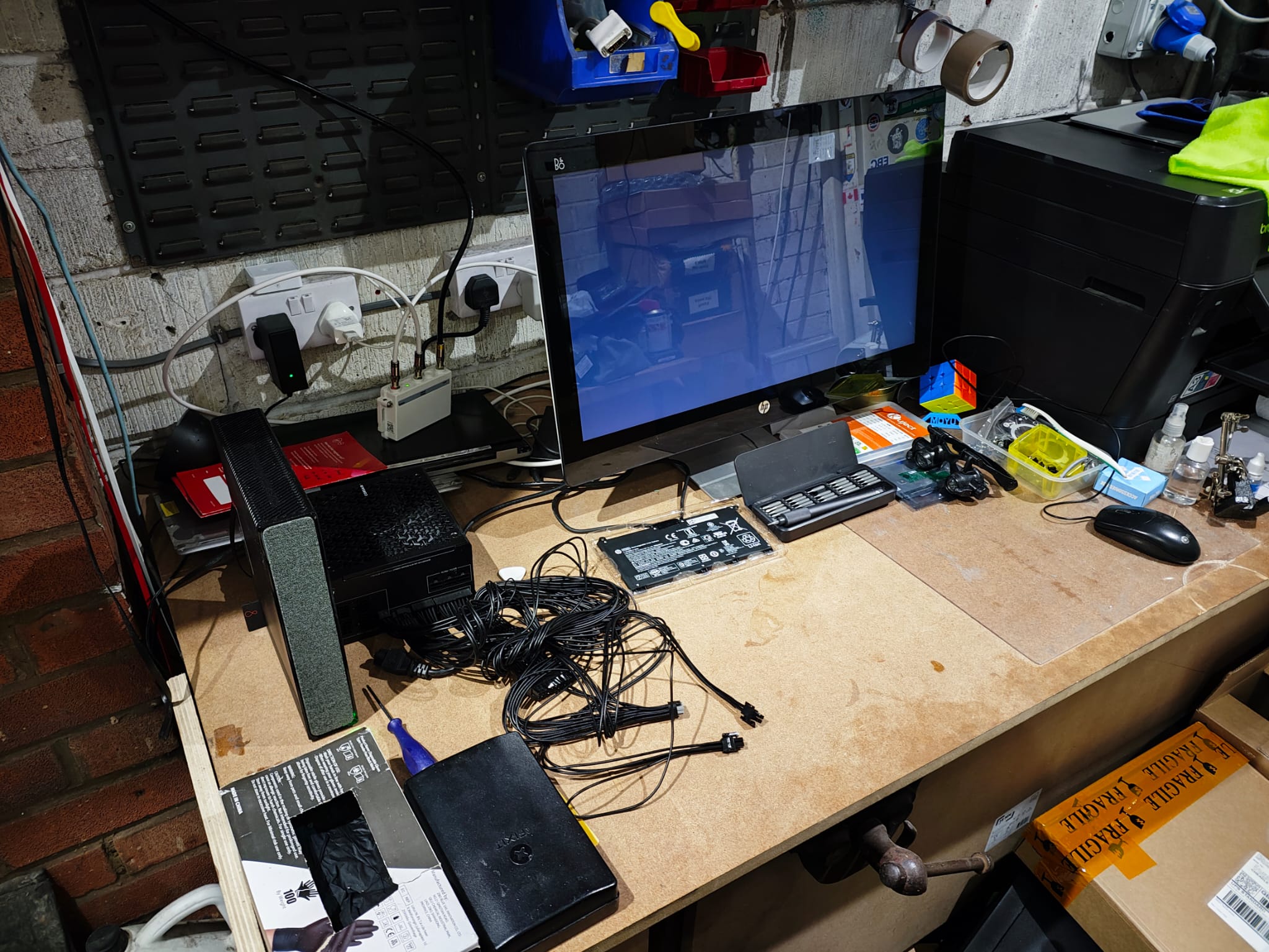
Slow computer diagnosis done properly
Some slow systems just need cleaning up. Others need proper fault-finding to avoid wasted money or repeat problems.
When you contact Dreambytes, you’re speaking directly with the person doing the work — no middlemen, no scripts, no call centre deciding what your computer needs.
- Clear diagnosis — we identify the actual cause of the slowdown
- Straight answers — what needs doing and what it will cost
- Repair or upgrade — only where it makes sense
- No pressure — if it isn’t worth doing, I’ll tell you
Local note: We regularly help customers across Cheadle Hulme, Wilmslow, Alderley Edge, Bramhall and nearby areas with slow laptops and sluggish desktop PCs.
Signs your computer needs attention
- It takes several minutes to boot
- Programs freeze or crash
- Web browsing feels unusually sluggish
- The fan runs loudly most of the time
- Opening email, Word or Chrome takes far too long
- You constantly see spinning circles or “not responding” messages
What usually fixes a slow computer
- Removing unnecessary software and junk
- Repairing Windows issues properly
- Malware cleanup
- Replacing a failing hard drive
- Installing an SSD for a major speed increase
- Adding memory where appropriate
Many older machines can be made dramatically faster without replacing the whole computer.
How it works
- Get in touch — describe the symptoms and I’ll give you an honest first view.
- Collection — I arrange a convenient time to collect if needed.
- Diagnosis — proper fault-finding at the workshop.
- Quote — you get a clear explanation and options before any chargeable work.
- Repair or upgrade — completed and tested properly before return.
Tip: If the machine contains important files, mention that early so data protection can be prioritised.
Frequently asked questions — slow computer problems
Can a slow computer be fixed?
Yes, in many cases it can. The key is identifying the real cause. A slow computer is often suffering from drive problems, software issues, malware, low memory or outdated hardware.
Is it worth upgrading an old slow laptop?
Often, yes. A sensible SSD upgrade can transform an older laptop. If it isn’t worth doing, I’ll tell you honestly.
Can malware make a computer run slow?
Absolutely. Malware, unwanted browser extensions and junk software can all slow a machine down dramatically.
How quickly can you diagnose a slow PC?
That depends on the symptoms, but most slow-computer jobs can be assessed quickly once the machine is on the bench.
Do you collect slow computers from Wilmslow and nearby areas?
Yes. Collection and return is available across Cheadle Hulme, Wilmslow, Alderley Edge, Bramhall and surrounding areas.
Do I need to replace the whole computer?
Not always. Many slow systems are recoverable and worth repairing or upgrading. We’ll tell you honestly when replacement makes more sense.
Contact
Dreambytes Computer Repair
Cheadle Hulme workshop serving surrounding areas
Call:
0161 428 8882
Text:
07778 224854
Good to include:
Make/model, what’s slow, and any error messages.