
Dell XPS 13 Overheating Repair
A Dell XPS 9370 running at around 78°C during light use — restored to around 44°C after a complete cooling-system service. Book a Laptop RepairDell XPS Running Hot?
Dell XPS laptops combine powerful hardware with an extremely slim chassis. That makes good cooling particularly important, and as these machines get older it is common for temperatures to rise as dust accumulates and the original thermal compound deteriorates.
This Dell XPS 13 9370 came into Dreambytes Computers after its owner noticed that it was running considerably hotter than it used to.
Initial testing showed temperatures of approximately 78°C during relatively light use.
Rather than simply replacing the thermal paste and hoping for the best, we dismantled the laptop, serviced the complete cooling system and carried out before-and-after thermal testing.
Before Service
~78°C
Processor temperature observed during relatively light use before the cooling system was serviced.
After Service
~44°C
Temperature observed following cleaning, repasting and reassembly during normal/light use.
Why Older Dell XPS Laptops Can Start Running Hot
Over years of use, dust gradually accumulates around the cooling fans and heatsink fins. At the same time, the thermal compound between the processor and the heatsink goes through thousands of heating and cooling cycles.
On a thin laptop such as the XPS 13 there is very little excess cooling capacity. A restricted fan, clogged heatsink or poor thermal contact can therefore have a noticeable effect on operating temperature, fan noise and performance.
High temperatures can also cause the processor to reduce its clock speed to protect itself — commonly known as thermal throttling.

Cooling System Removed & Cleaned
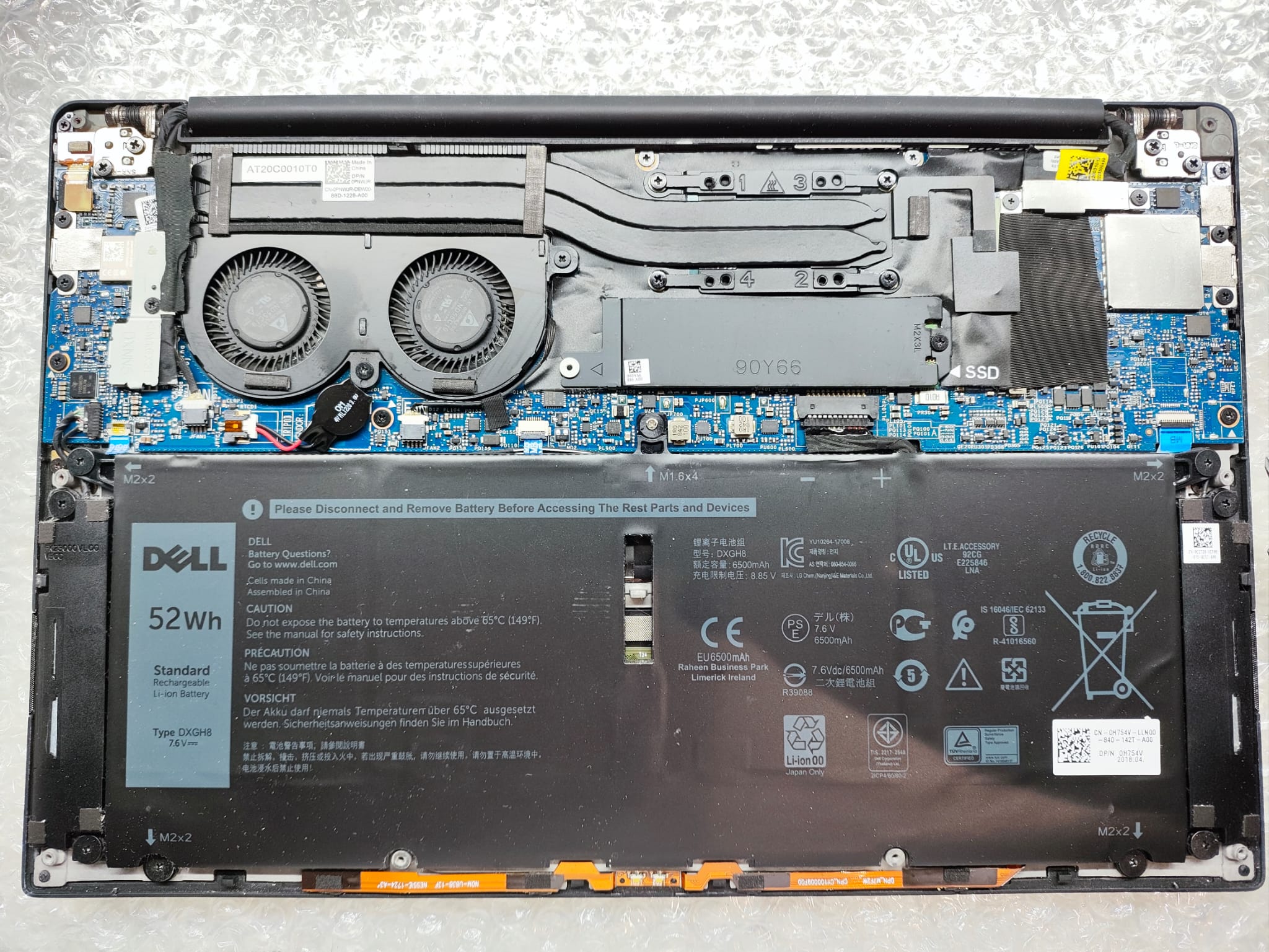
The bottom cover was removed and the internal battery safely disconnected before work began.
The dual-fan cooling assembly and heatsink were then removed so that the complete cooling path could be inspected and cleaned properly.
This is important. Blowing compressed air through the outside vents does not remove debris trapped between the fan outlets and heatsink fins, nor does it address deteriorated thermal compound.
Removing the Old Thermal Compound
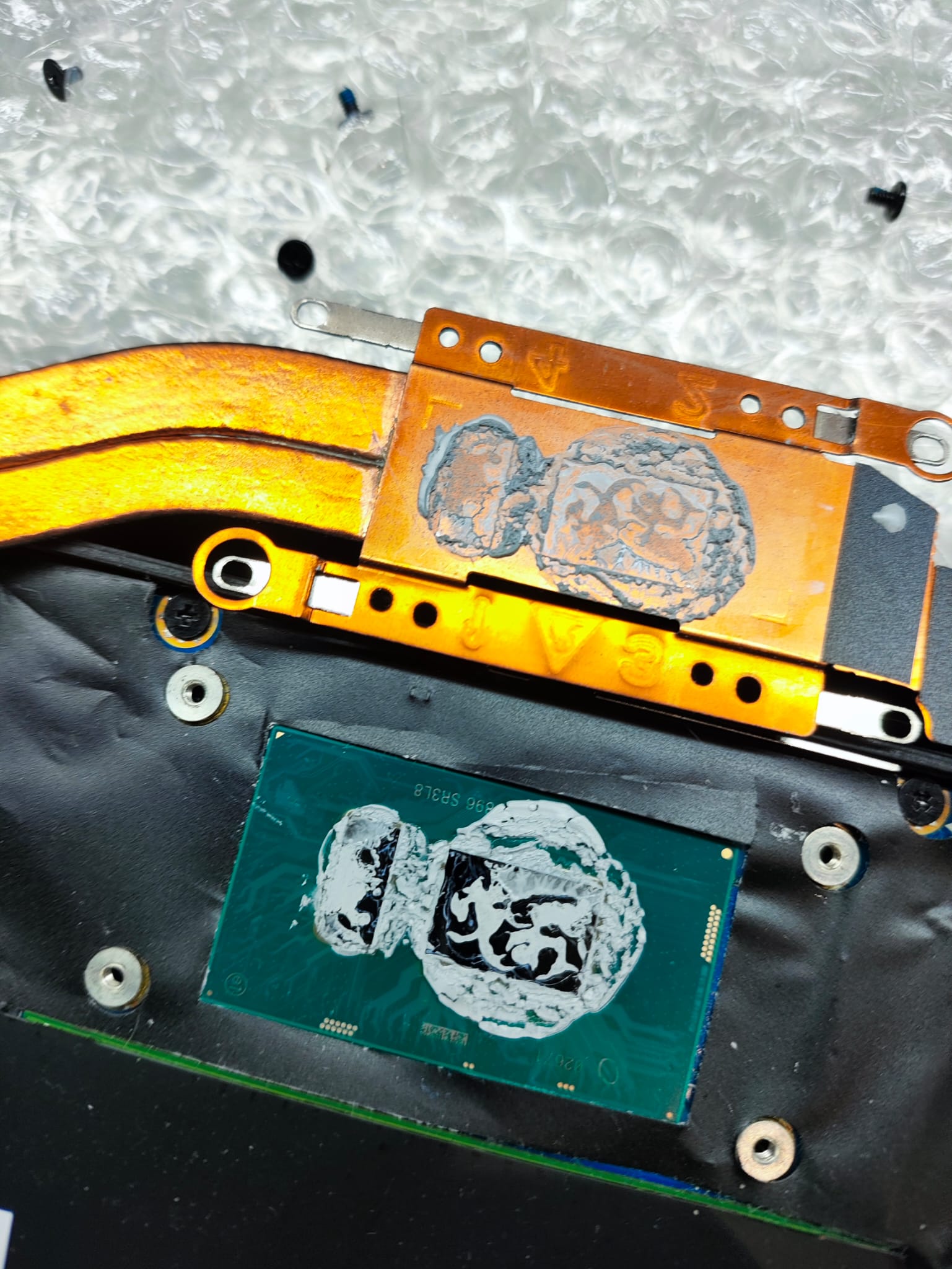
Once the heatsink had been removed, the original thermal compound could be inspected.
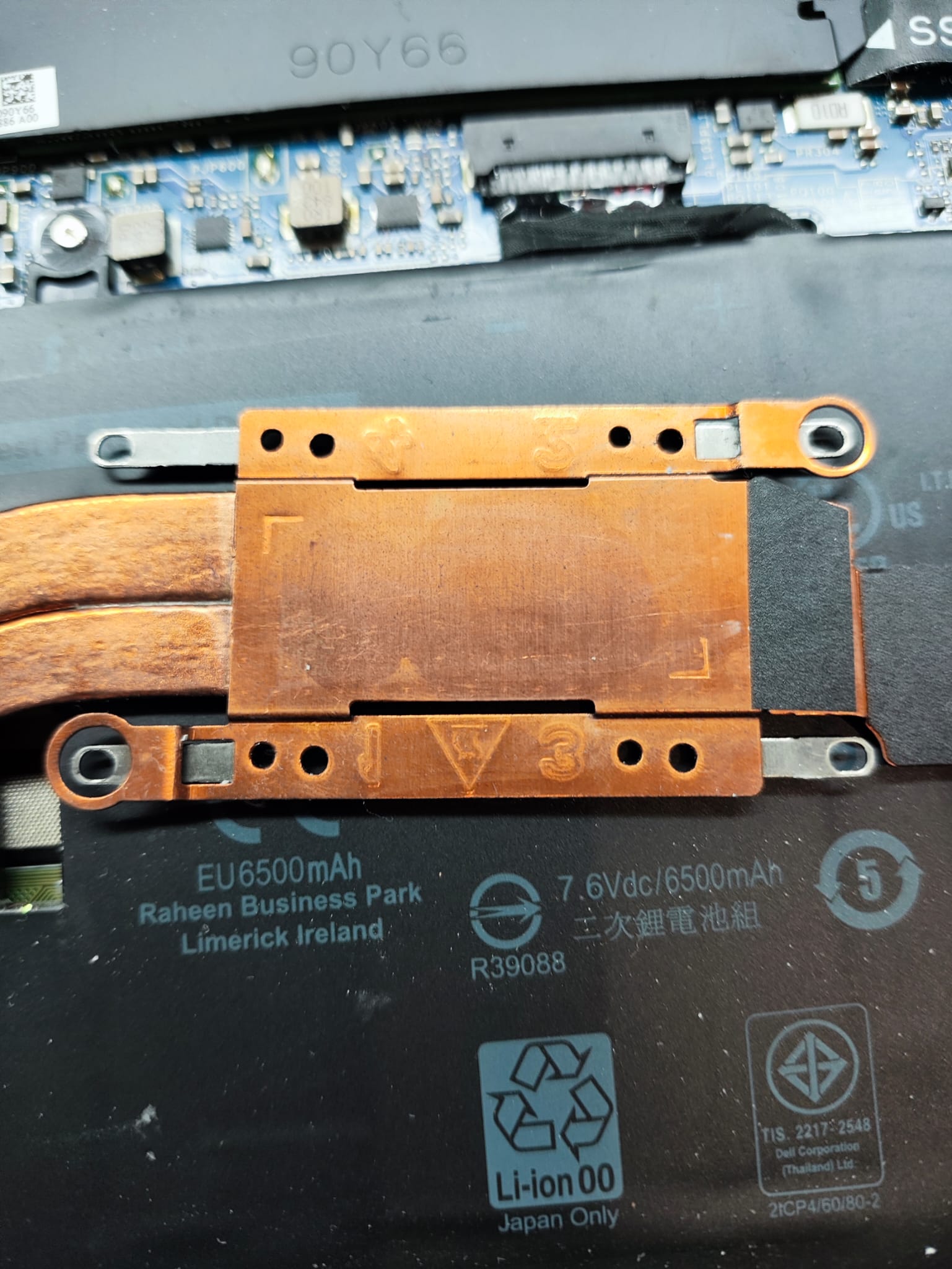
The old compound was carefully removed from both the processor and heatsink contact surfaces before the mating surfaces were thoroughly cleaned.
Fresh Arctic MX-6 high-performance thermal compound was then applied before the heatsink was correctly refitted.
Correct heatsink seating and even mounting pressure are just as important as the thermal compound itself.

We Don’t Just Replace the Paste — We Test the Result
Replacing thermal compound is only worthwhile if the cooling system performs correctly afterwards.
Following reassembly, the XPS was subjected to sustained processor load while temperatures and throttling behaviour were monitored.
With the processor operating at approximately 95% CPU utilisation, temperatures remained around 78–80°C, briefly peaking in the low 80s, with no thermal throttling detected.
That means this XPS was running at roughly the same temperature under near-full processor load as it had previously been reaching during light use.
~44°C
~78–80°C
No Throttling

Signs Your Laptop Cooling System May Need Attention
A cooling service may be worthwhile if your laptop:
- Feels much hotter than it used to
- Has cooling fans running constantly
- Becomes noisy even during light use
- Slows down after being used for a while
- Runs at unusually high CPU temperatures
- Shuts down or becomes unstable under load
High temperatures do not automatically mean thermal paste is the problem, which is why we assess the cooling system as a whole rather than simply replacing parts unnecessarily.
Dell XPS Overheating Repair in Stockport
If your Dell XPS, Inspiron, Latitude or other laptop is running unusually hot, constantly running its fans or suffering reduced performance, Dreambytes Computers can help.
We provide laptop overheating diagnostics, cooling-system cleaning and thermal servicing throughout Stockport, Cheadle Hulme, Bramhall, Wilmslow, Hazel Grove, Heald Green and surrounding areas.
Our repairs include proper diagnostics and post-repair testing rather than simply replacing thermal paste without confirming the result.
Free local collection and return is available.
Repair Summary
Device: Dell XPS 13 9370
Reported issue: Laptop running excessively hot
Work completed: Cooling-system dismantle, dual-fan and heatsink cleaning, removal of aged thermal compound, Arctic MX-6 application, reassembly and extended thermal testing
Before: Approximately 78°C during relatively light use
After: Approximately 44°C during light use
Stress testing: Approximately 78–80°C at around 95% CPU utilisation with no thermal throttling detected