
Dell Inspiron Laptop Hinge Repair
Failed hinge, damaged rear display cover and broken screen bezel professionally replaced — a genuine Dell Inspiron 15 3520 repair from our Cheadle Hulme workshop. Call Tony: 0161 428 8882Ask About a Laptop Hinge RepairThis Dell Inspiron 15 3520 hinge repair was completed in our Cheadle Hulme workshop for a customer whose left display hinge had torn away from the rear display housing.
The laptop arrived with one corner of the display assembly pulling apart whenever the screen was opened. The fault had progressed beyond a loose hinge: the mounting points had torn away from the rear display cover and the surrounding screen bezel had also broken.
The damaged components were replaced, the original LCD panel was carefully transferred into the replacement housing, and this Dell Inspiron 15 3520 laptop repair was fully rebuilt and tested before return.

The fault on arrival
Broken Dell hinge / screen separating from the chassis — the fault on this Dell Inspiron 15 3520.
As these photographs show: the hinge mounting had already failed
Immediately after intake, we photographed the damaged corner of this Dell Inspiron 3520 hinge repair. In this case, the left hinge had torn away from the rear display cover.
Once the display assembly was opened on the bench in our Cheadle Hulme workshop, the picture became clearer. The hinge mounting points had torn away from the rear display cover, and the brass threaded inserts had pulled out of the plastic housing.
The screws were still sitting inside those inserts — but the inserts themselves were no longer moulded into the cover. That is why tightening the screws would not solve the problem: there was nothing structurally sound left for the hinge to screw into.
Replacement parts were required before this Dell Inspiron 15 3520 could be rebuilt. Glue or forcing the casing together would only have produced a temporary and unreliable repair.
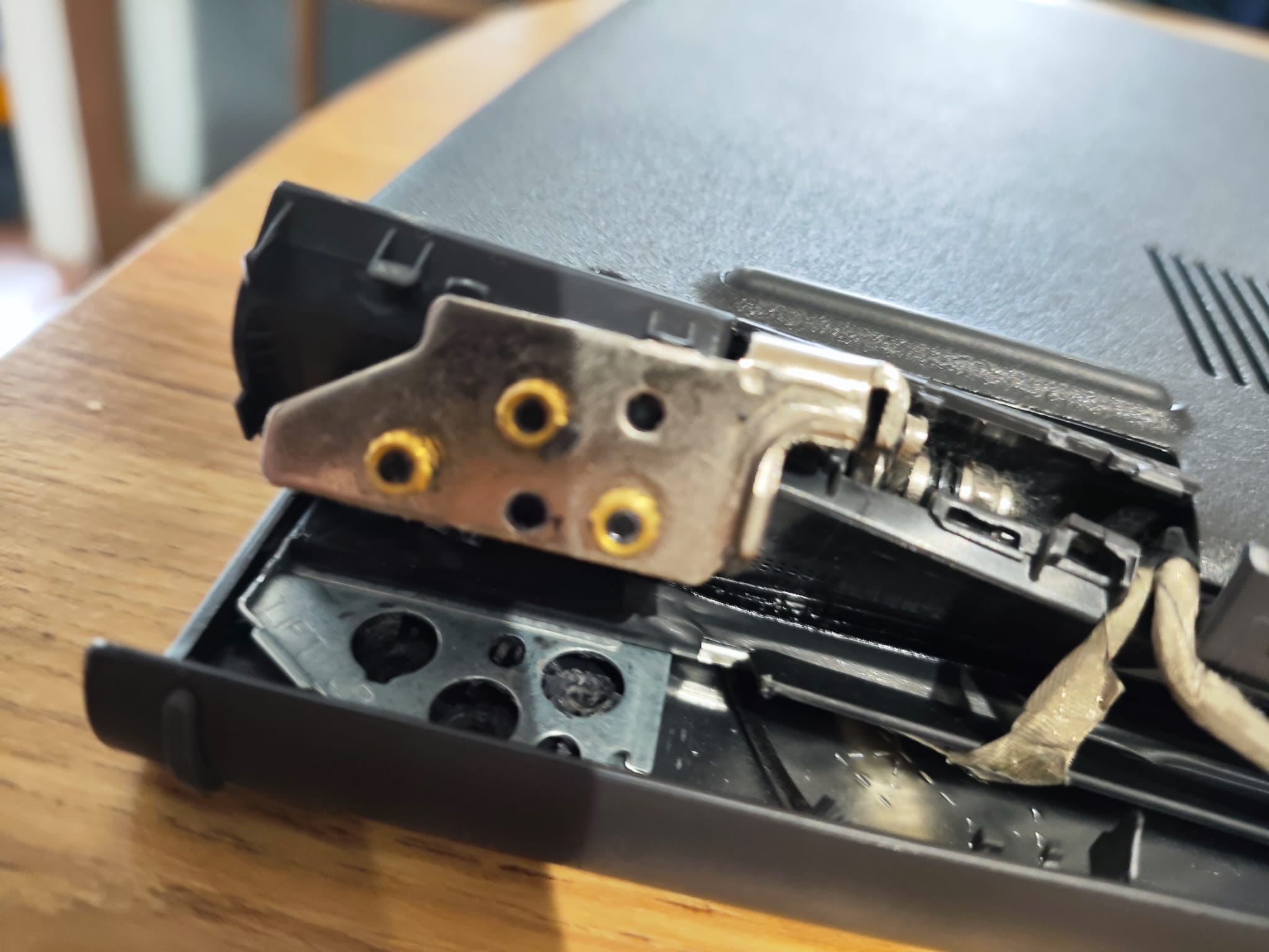
Torn mounting inserts
Brass threaded inserts pulled from the rear display housing with the hinge.
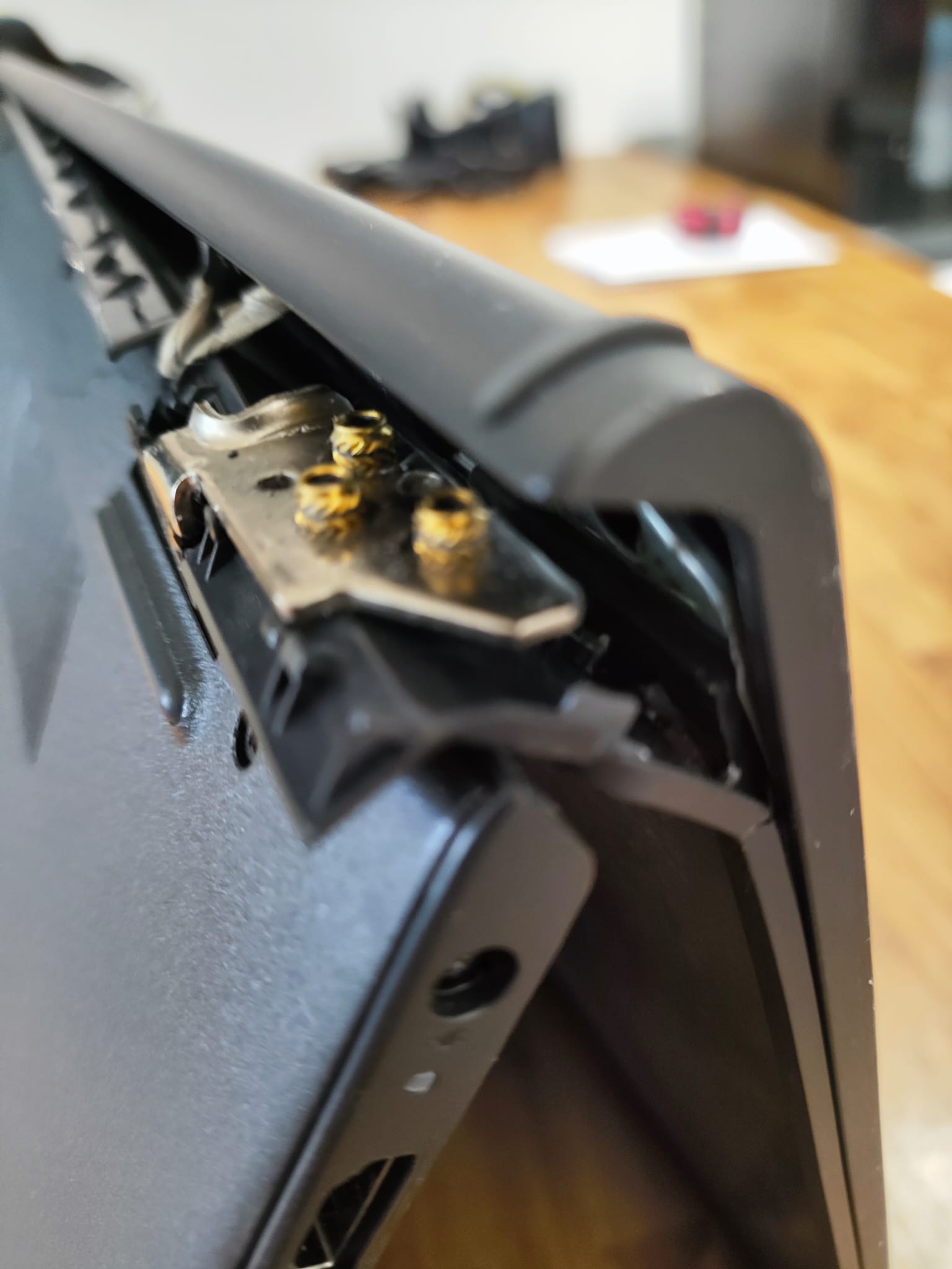
Exposed broken hinge
Broken left Dell hinge removed from the display assembly.

Failed hinge
Failed Dell Inspiron 15 3520 hinge that lifted and forced the casing apart when opened.
The screen assembly was pulling apart
The customer reported that the laptop had become increasingly difficult to open and that one corner of the casing was separating around the hinge.
Although this can initially look like a loose screw, the actual problem on this machine was hidden inside the display housing.
During this Dell Inspiron 15 3520 hinge repair, we confirmed the metal hinge was no longer securely attached to the rear display cover.
Continuing to use a laptop in this condition can damage the LCD panel, display cable, webcam wiring, wireless aerial cables and lower chassis — which is why we advise stopping forced opening as soon as these symptoms appear.
Why tightening the screws would not fix it
As these photographs show, the threaded brass inserts that should have been permanently moulded into the rear display cover had torn out with the hinge.
In this case, there was nothing structurally sound for the hinge to screw back into.
Tightening the screws, forcing the casing together or applying glue around the outside would only have produced a temporary and unreliable repair. Replacement of the damaged housing components was the dependable path.
More than just a broken hinge
By the time the laptop arrived, the force from the failed hinge had also damaged the plastic screen bezel and rear display cover.
The bezel is the narrow frame surrounding the LCD panel. Once cracked or distorted, it may no longer clip securely into position.
Because the mounting points had torn out completely, this Dell rear display cover replacement was required rather than a patch.
A Dell screen bezel replacement was also needed. The LCD panel itself remained fully operational and could be transferred into the replacement display housing.
Parts replaced on this Dell Inspiron 15 3520
- Left and right hinge assembly
- Rear display cover
- Screen bezel
The original LCD panel, display cable, webcam and wireless aerials were retained after inspection and testing.
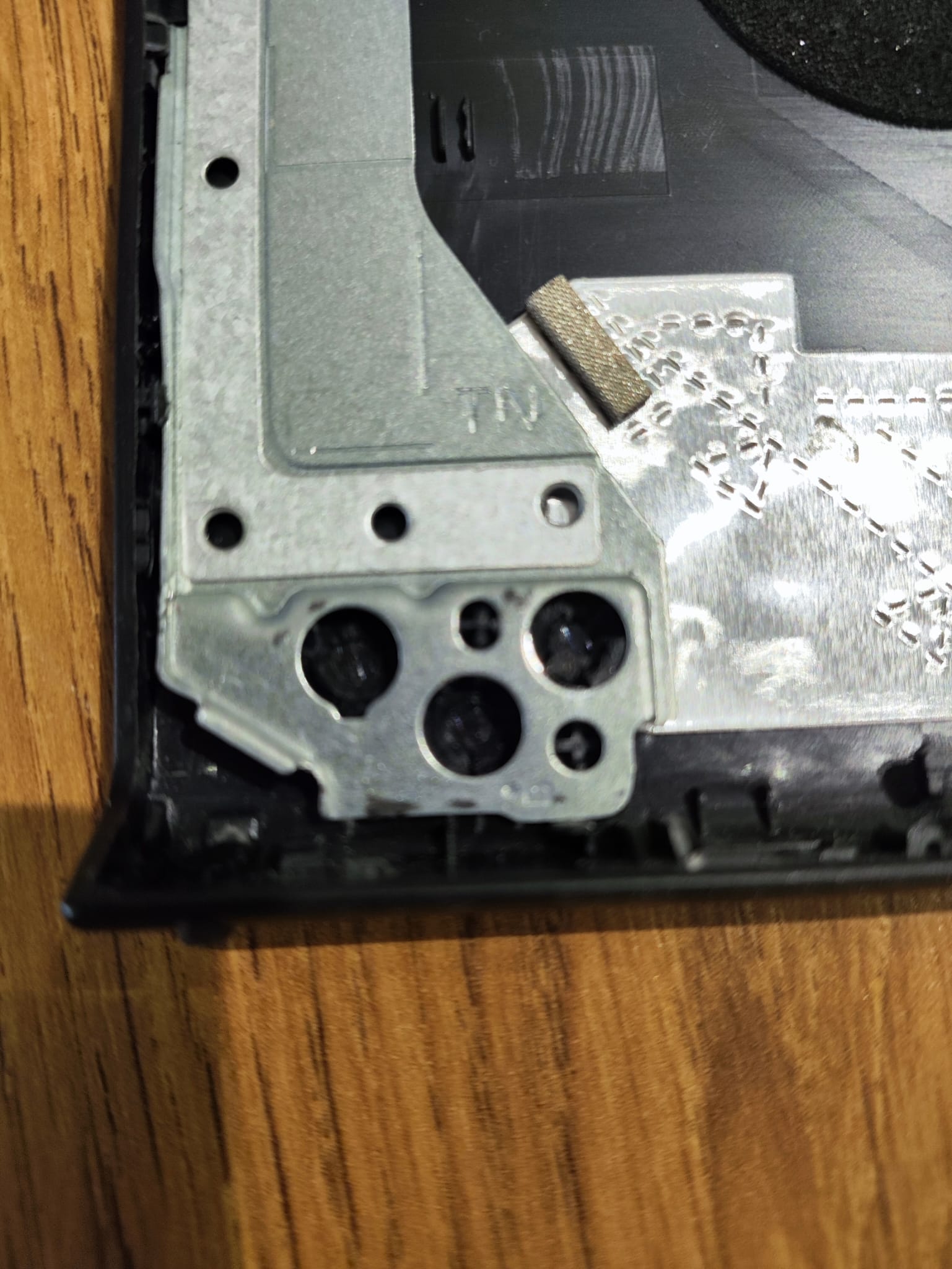
Damaged rear cover
Damaged Dell Inspiron rear display cover after the hinge mounts tore out.
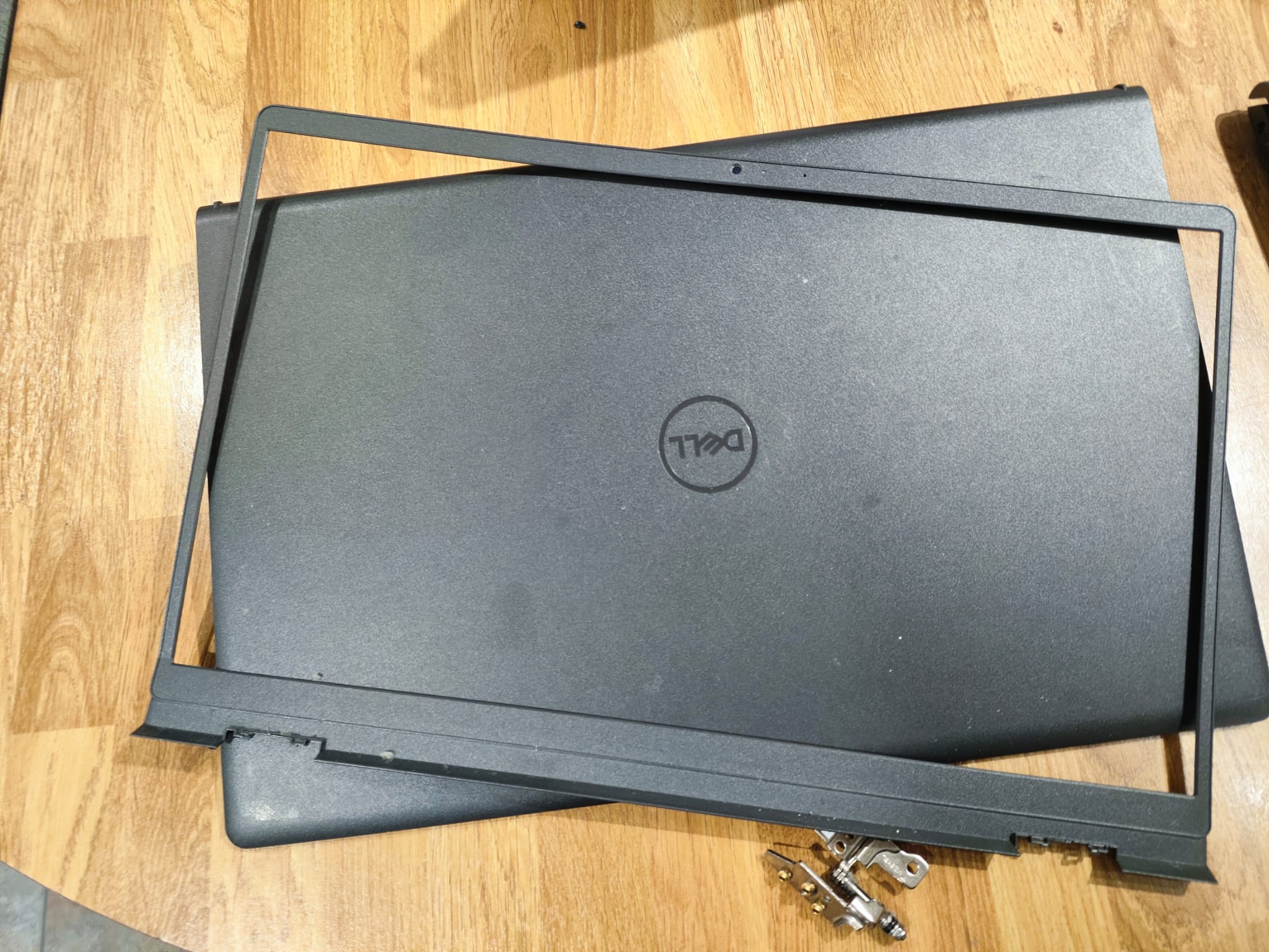
Broken screen bezel
Cracked Dell screen bezel damaged by the failed hinge assembly.
Why Dell laptop hinges fail
Dell laptop hinge failures are a common mechanical repair. Understanding why they happen helps explain what we found during this genuine Dell Inspiron 15 3520 hinge repair in our Cheadle Hulme workshop.
Opening the lid from one corner
Lifting the screen from one side concentrates stress into a single hinge and its mounting points. Over time that uneven load accelerates wear on the plastic housing around the fixings.
Increasing hinge stiffness with age
As hinges age they often become stiffer. The extra force needed to open or close the lid is transferred into relatively small mounting points inside the rear display cover or lower chassis.
Plastic fatigue around the mounting points
The rear cover is typically a moulded plastic part. Repeated stress causes fatigue around the hinge mounts until the plastic cracks or the moulded-in metal inserts begin to loosen.
Threaded brass inserts pulling free
Many Dell designs rely on brass threaded inserts moulded into the plastic. Once those inserts pull free — as they had on this Dell Inspiron 3520 — the hinge no longer has a secure structure to screw into.
Why continuing to use the laptop often causes additional damage
If the lid is forced open after the mounts have failed, the hinge can lift the casing, crack the bezel further, pinch the display cable or crack the LCD panel. That is how a Dell screen hinge repair can escalate from housing parts into a full panel replacement.
Stopping early usually keeps the repair smaller and more predictable.
Don’t ignore a stiff Dell hinge
If your Dell Inspiron 15 3520 becomes difficult to open, stop forcing the lid. Continued use can tear the hinge mounting points from the display housing and may also crack the LCD panel, turning a relatively straightforward hinge repair into a much more expensive screen replacement.
How this Dell hinge repair was completed
After replacing the damaged components on this Dell Inspiron 15 3520, the display was rebuilt and tested for smooth movement, alignment and image quality in our workshop.
If you need related <a href="/laptop-screen-repair-in-cheadle-hulme/">laptop screen repairs</a> or wider <a href="/dell-inspiron-laptop-hinge-repair/">laptop repairs</a> in Cheadle Hulme and Stockport, the same workshop process applies: diagnose first, then replace only what has failed.
Step 1 — Display assembly dismantled
During this Dell Inspiron 15 3520 hinge repair, the laptop was powered down and safely dismantled. The display assembly was separated from the chassis and the damaged bezel, rear cover and hinge components were removed.
Step 2 — LCD panel and wiring transferred
The working LCD panel was carefully removed. The display cable, webcam wiring and wireless aerial cables were inspected and transferred into the replacement rear cover.
Step 3 — Replacement housing assembled
The replacement hinges were secured to the new mounting points. The LCD panel was refitted, the cables correctly routed and the replacement bezel installed.
Step 4 — Reassembled and fully tested
The laptop was rebuilt and the screen opened and closed repeatedly to confirm smooth movement, correct alignment and secure operation.
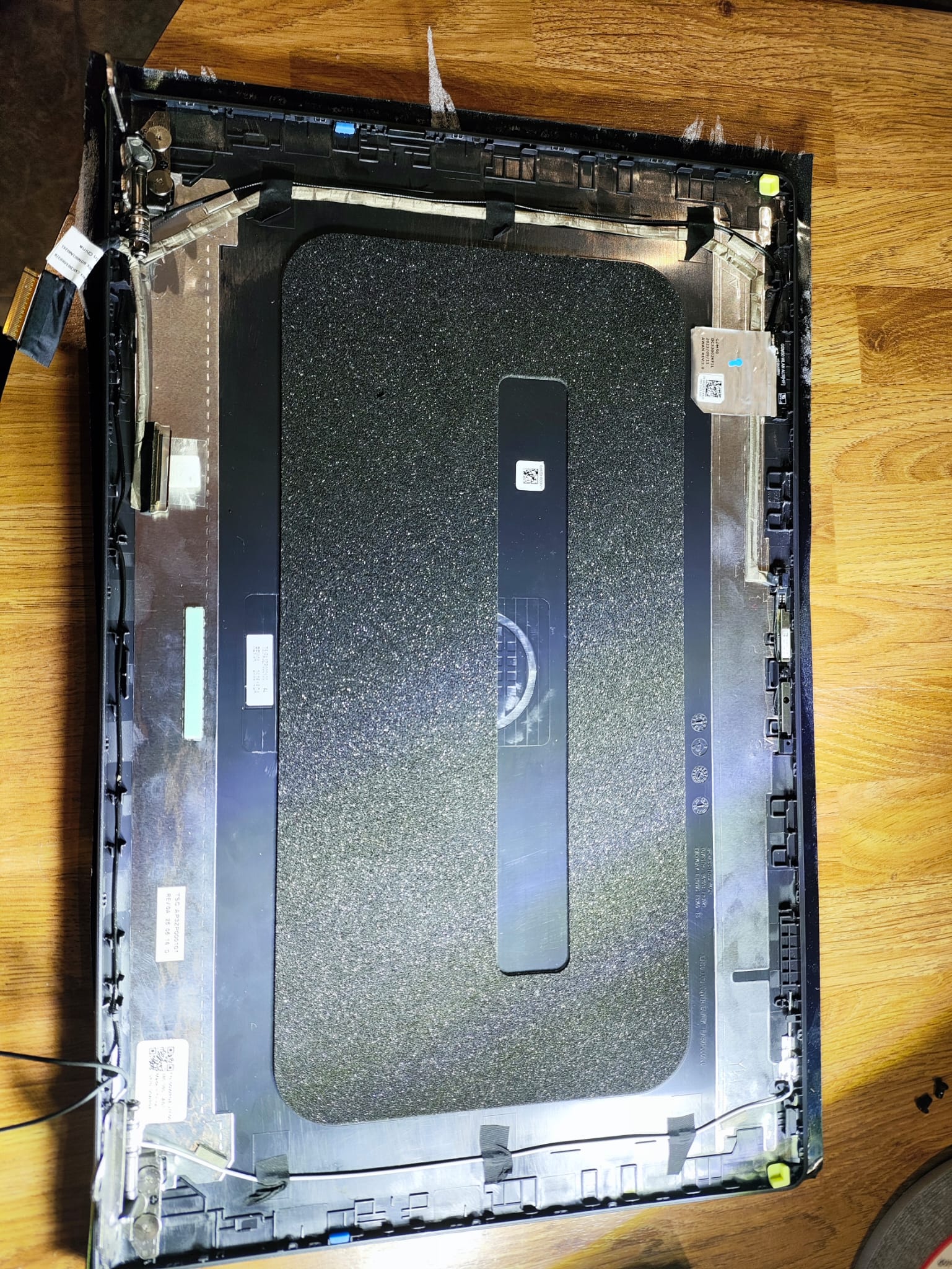
Display assembly rebuild
Replacement rear cover fitted before reassembly, during transfer of the LCD panel, cables and wireless aerials.
Before and after this Dell Inspiron hinge repair
As these photographs show, the failed hinge on this Dell Inspiron 15 3520 lifted the screen casing away from the chassis whenever the display was moved.
After replacing the damaged components, the rebuilt display assembly sits correctly against the chassis and opens and closes smoothly.
Before
Before: broken Dell laptop hinge allowing the screen casing to lift away.
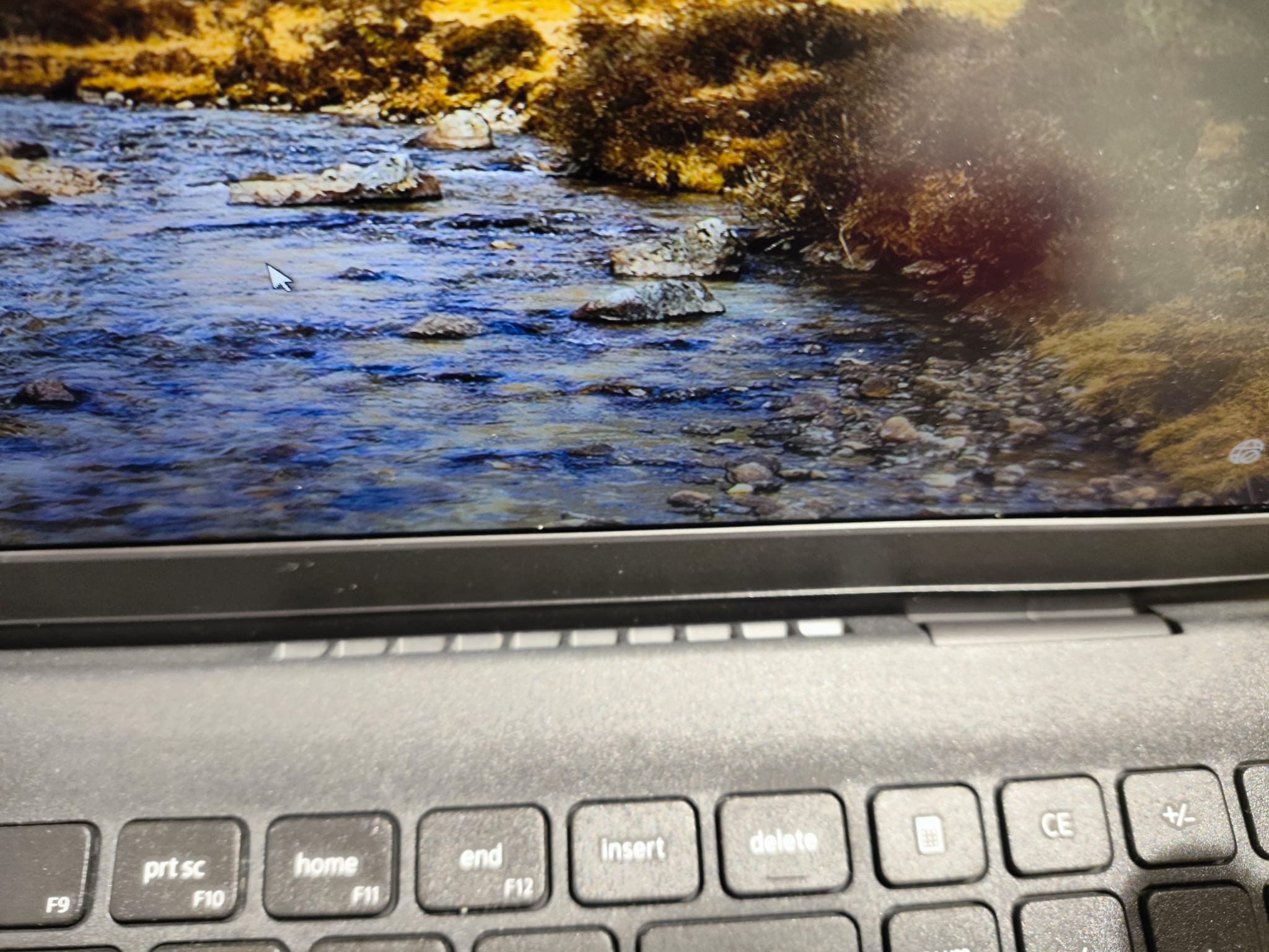
After
After: Dell Inspiron 3520 hinge repair completed — display assembly aligned and secure.
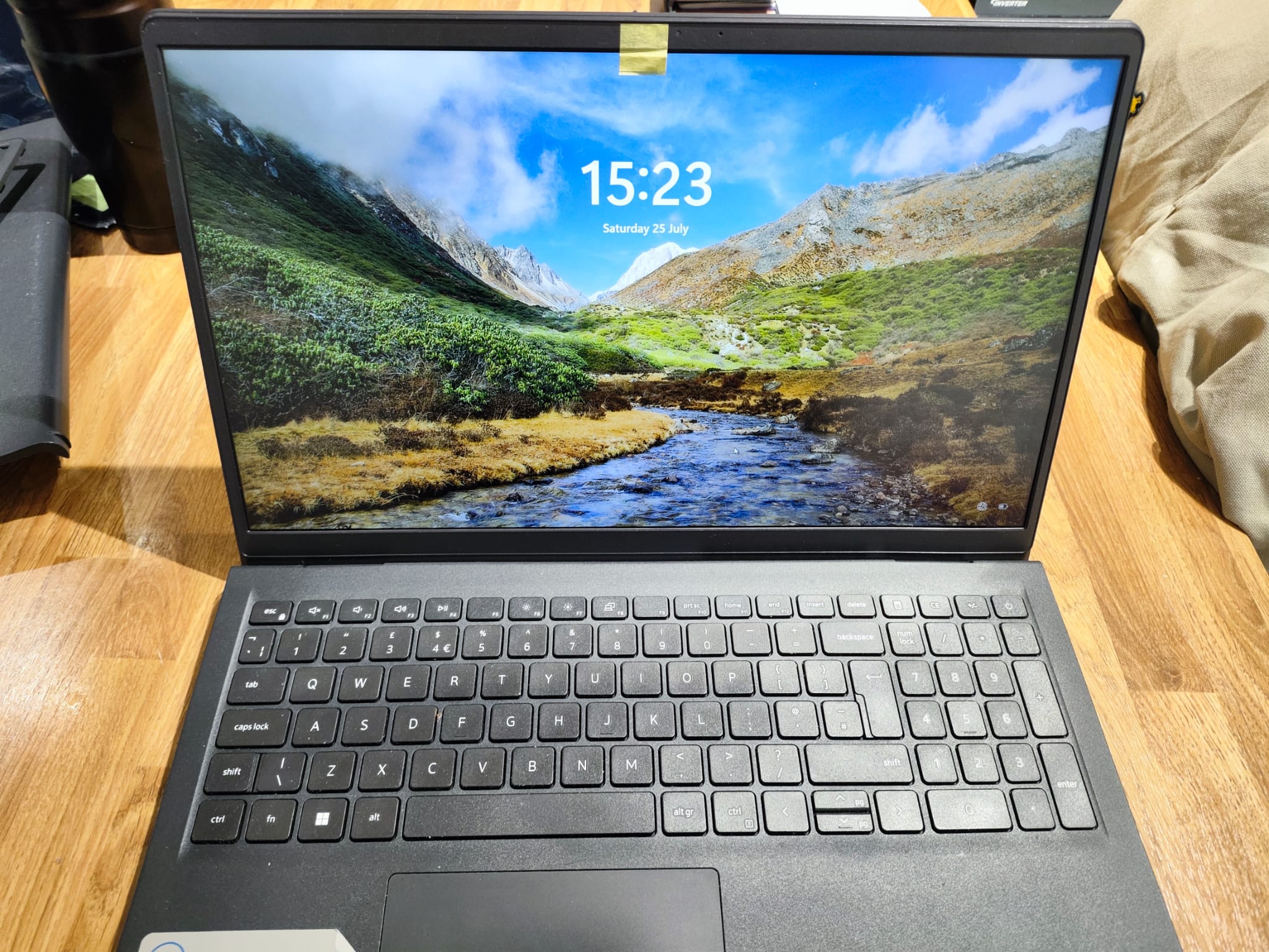
Finished result
Dell Inspiron 15 3520 fully rebuilt, tested and returned to the customer.
Following the repair, the display was tested for image quality, alignment and stability. The webcam, wireless connection and screen movement were also checked before the laptop was returned.
This was a genuine repair completed in our Cheadle Hulme workshop. Dreambytes Computers regularly carries out Dell laptop hinge repair. For Dell hinge repair Stockport customers, we also offer collection and return across the area.
Real photographs from this repair
Every photograph on this page shows an actual Dell Inspiron 15 3520 hinge repair completed in our Cheadle Hulme workshop. We use genuine photographs from our own repairs rather than stock images so customers can see exactly what is involved in a Dell Inspiron laptop hinge repair.
Are broken laptop hinges common?
Yes. Hinge and display-housing failures are mechanical repairs we see regularly across Dell, Lenovo, HP, Acer and other manufacturers.
In many cases — including this Dell Inspiron 15 3520 — the metal hinge becomes unusually stiff over time. The additional force is transferred into relatively small plastic mounting points inside the rear display cover or lower chassis.
Eventually those mounting points crack or tear away completely, which is exactly what happened here.
Common warning signs
- One corner lifting when the screen is opened
- Cracking or creaking noises
- The bezel separating from the display
- The lid becoming unusually stiff
- Visible movement around either hinge
- Screws falling from the laptop
- Gaps appearing between the display and casing
Once these symptoms appear, it is sensible to stop forcing the screen. Continued use can turn a damaged hinge housing into a broken LCD panel or damaged display cable.
Why not simply glue it?
A laptop hinge is a high-load moving component placed under stress every time the screen is opened or closed.
Where the structural mounting points have torn out — as they had on this Dell Inspiron 15 3520 — replacing the damaged cover or chassis component provides a much more dependable repair than adhesive or an improvised bracket.
For this Dell Inspiron hinge repair, the correct work was replacement of the hinge assembly, rear cover and bezel: a Dell rear display cover replacement and Dell screen bezel replacement with a full hinge change.
Is the repair covered by a warranty?
Yes. Repairs include a 12-month warranty on the replacement parts supplied and the workmanship carried out.
The warranty covers defects in the supplied replacement components and the installation completed as part of the repair.
It does not cover accidental damage, drops, impacts, excessive force, liquid damage, misuse or the subsequent failure of unrelated original components.
To reduce stress on the display assembly, we recommend opening the laptop from the centre of the lid rather than repeatedly lifting it from one corner.
Do you repair other laptop brands?
Yes. Alongside Dell screen hinge repair and Dell laptop hinge repair, Dreambytes carries out suitable hinge, bezel and rear-display-cover repairs on Lenovo, HP, Acer and other laptop brands.
Every repair is assessed individually. Related services include <a href="/dell-inspiron-laptop-hinge-repair/">laptop repairs</a>, <a href="/laptop-screen-repair-in-cheadle-hulme/">laptop screen repairs</a>, and <a href="/computer-repair/">computer repairs in Stockport</a>.
Send the laptop make and full model number together with a clear photograph of the damaged area, or <a href="/contact-us/">book a repair</a> so we can check replacement-part availability and provide an initial estimate.
Frequently asked questions
Can a broken Dell laptop hinge be repaired?
In many cases, yes. The required repair depends on whether the hinge itself has failed or whether it has torn away from the rear display cover or lower chassis.
An inspection is needed to identify every damaged component — as we did during this Dell Inspiron 15 3520 hinge repair.
Can a Dell laptop hinge be repaired without replacing the screen?
In many cases, yes. If the LCD panel has not been damaged, it can often be reused and transferred into the replacement housing.
On this Dell Inspiron 15 3520, the screen remained fully functional and was retained. Each repair is assessed individually, because cracked glass, pressure marks or a damaged display cable can still force a panel replacement.
Does the laptop screen need replacing as well?
Not necessarily. On this Dell Inspiron 3520, the LCD panel remained fully functional and was transferred into the replacement housing.
A screen only needs replacing when the panel, its mounting points or its connecting cable have also been damaged.
Can you just tighten the hinge screws?
Only when the screws and their mounting points remain intact.
In this case, the threaded inserts had torn out of the casing, so tightening the screws could not restore the structure.
Is glue a permanent laptop hinge repair?
Usually not where the structural mounting points have failed extensively.
A hinge carries substantial mechanical load, so replacing the damaged cover or chassis component is generally the more dependable repair — which is what this Dell hinge repair required.
How long does a laptop hinge repair take?
The timescale depends mainly on replacement-part availability.
Once the correct components have arrived, the physical repair can normally be completed without a lengthy delay.
More Repair Case Studies
Browse other genuine repairs from our Cheadle Hulme workshop — real faults, real photographs and finished results.
Repair Case Studies
See more real workshop repairs from Dreambytes — genuine customer machines, photographed during diagnosis and rebuild.
Is your laptop screen pulling away from the casing?
If the laptop has become stiff to open, the screen is lifting away from the lid, or the hinge has already broken, it should be repaired before further damage occurs.
Continued use can damage the LCD panel and significantly increase repair costs — turning a Dell hinge repair into a more expensive Dell screen hinge repair.
Dreambytes Computers provides Dell Inspiron hinge repair, Dell laptop hinge repair and Dell hinge repair in Stockport from our workshop in Cheadle Hulme, with collection and return available across surrounding areas.
If you have a Dell Inspiron 15 3520 with a stiff or broken hinge, send the model details with a clear photograph of the damaged hinge area, or <a href="/contact-us/">book a repair</a>. You can also review our <a href="/computer-repair/">computer repair</a> services while you wait for an estimate.